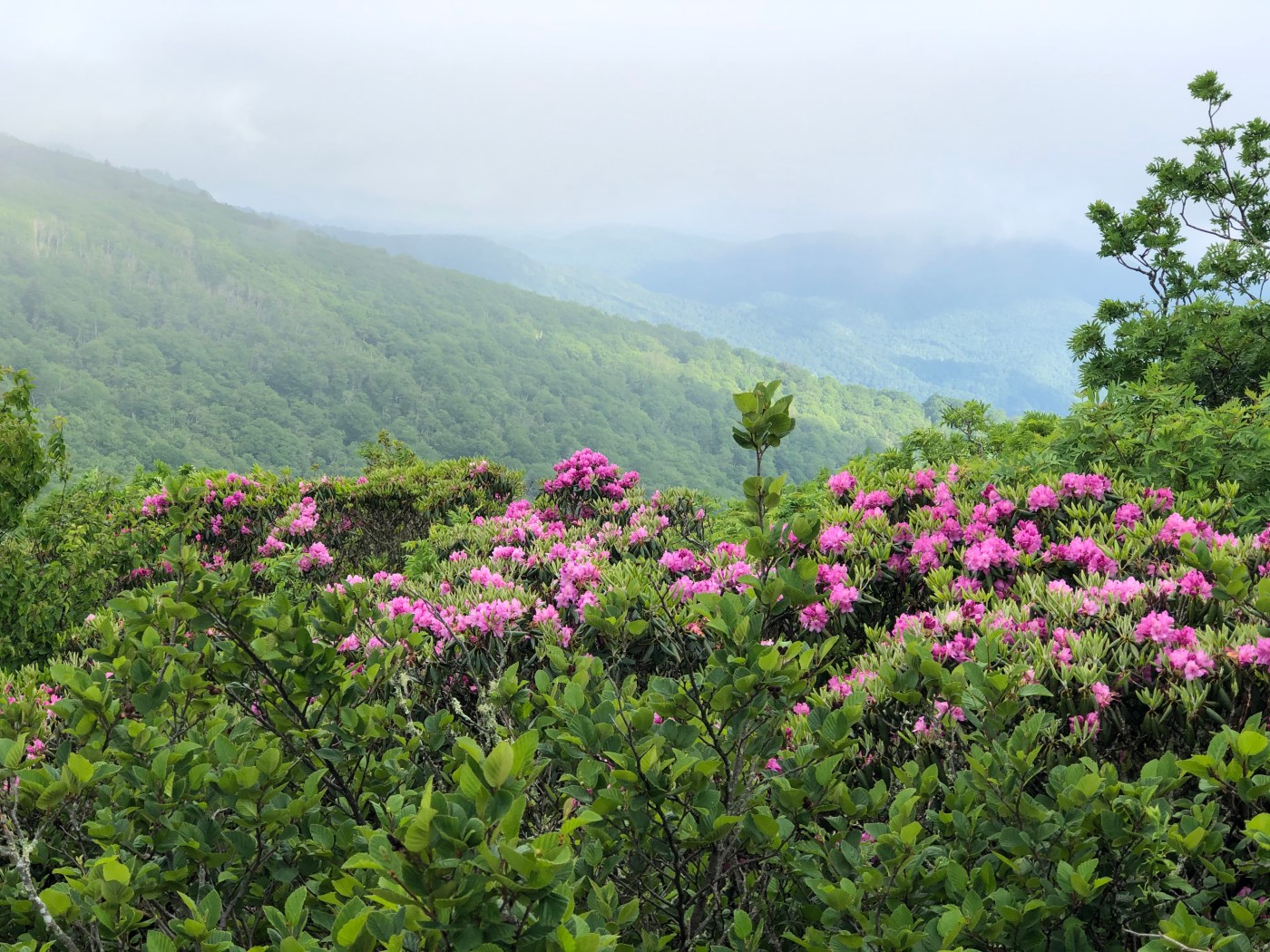
If you’ve ever seen any of my (or someone else’s) Instagram photos and wondered (or commented asking) “Where is this?” then this post is for you. Whether its a sweet view or an impressive waterfall, a long-standing fire-tower or a field of wildflowers you’re after, I firmly believe that YOU deserve to know how to access these places. “Gatekeeping” as it’s known in the social media world is a nasty, elitist, privileged act of entitlement and I ain’t about it. I think that the more people who fall in love with a place, the more likely that place is to receive the protection and conservation efforts it needs to remain accessible for decades to come.
That said, I’m one individual person who has done a LOT of work and put in a LOT of effort to find many of the places I hike. I’ve put hours of time and research into mapping routes, researching locations, and pinning waypoints. NO ONE is entitled to the information that I have in my head. I’m generally not keen on giving strangers on the internet turn-by-turn directions, because I don’t know your outdoor ethics, I don’t know your intentions, I don’t know your skill level, and I’m unfamiliar with your following. If you comment on my posts asking “where’s this” I’m probably going to ignore you.
OK then, how do I find the hikes?
The first recommendation I have for you is USE YOUR RESOURCES. Do you have access to the internet? If you are reading this I bet you do. There are endless blogs, websites, and apps that give detailed hiking information and directions. In addition, the land-use management agencies that are responsible for most of our public lands have websites that often give a decent amount of information. Here are some of those:
- US Forest Service: every single National Forest in the United States has a page on the official US Forest Service website. You can use the search tool on the right-hand side of the home page to locate a National Forest in your state. The USFS also publishes maps of the National Forests that are an incredible resource for locating lesser-known hikes.
- National Park Service: This organization manages National Parks in the US and has tools for planning your visit to our nation’s greatest natural treasures.
The second recommendation I have is get yourself the paid version of a GOOD HIKING APP. Apps like AllTrails, Hiking Project, and my favorite GaiaGPS can also help you locate hikes on your smart phone. The paid versions give you access to different map overlays and resources that you don’t get with the free ones. I pay $35 a year for Gaia Pro and I use it to locate unmarked trails, unmaintained forest service roads, unmarked fire towers, and to map routes, mileages, and waypoints.

The third recommendation I have is to PURCHASE REGIONAL PAPER MAPS AND GUIDE BOOKS. I find almost every single remote waterfall I post about using Kevin Adams “Waterfalls of North Carolina” book (click that hyperlink for a wealth of FREE resources from Kevin Adams then go buy his book from a local shop). I paid money for this book; I spend a lot of time browsing, marking, and researching these hikes before I go. You can do that, too. I also use NatGeo Trails Illustrated Maps and Pisgah Map Company paper maps for mapping routes and finding trails.
Yeah ok but I want to know how to find that SPECIFIC spot in the photo you posted.
Here’s the thing: I’m not going to tell you exactly where it is if you are a complete stranger. But I do give LOTS of clues in my geotags, captions, and hashtags.
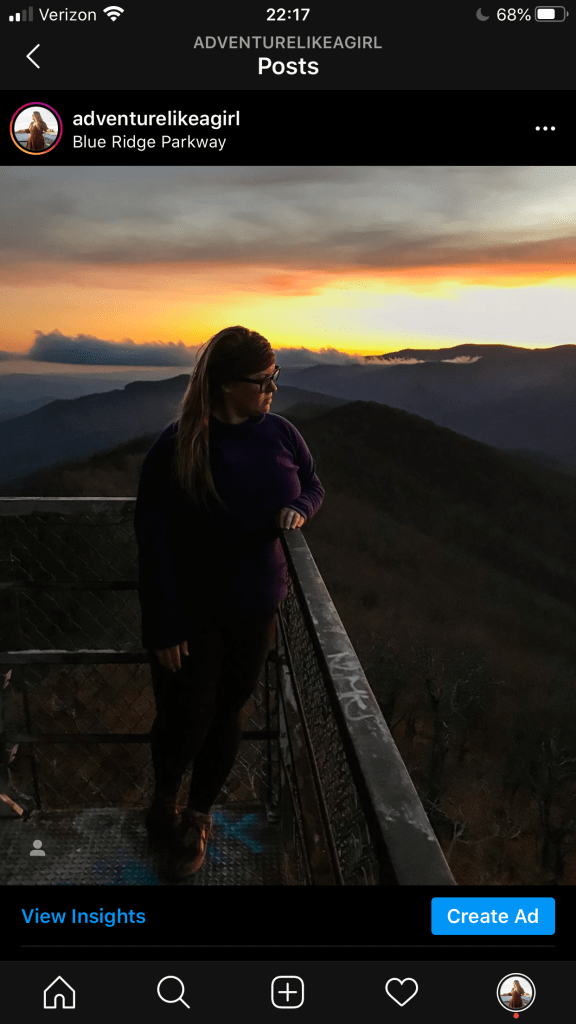
This is a post I made on Instagram. If you see it and think, “Oh I’d really like to know where that is,” before commenting and asking me, take a look at the information I’ve already provided.
Geotag: Blue Ridge Parkway
I always try to geotag the land use management agency associated with the place in the photo. In this case, you can say “well, it’s a firetower located on the Blue Ridge Parkway” and now you have something to type into google. If you feel like you need more than a geotag, look at the hashtags.
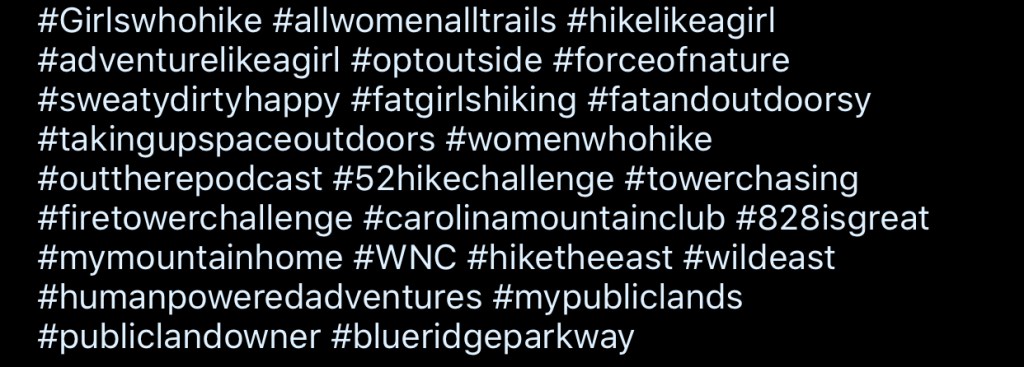
In this case, I specifically tagged #carolinamountainclub and #WNC. So now you’ve narrowed your search down to firetowers on the Parkway in North Carolina.
If you visit the Carolina Mountain Club website you will find a wealth of information on hikes with their “hike finder” tool. You can also find specific hikes and points of interest, hiking lists, and reference points by looking at their Hiking Challenges. Using all of these resources, you could narrow it down to 2 or 3 towers without ever having to ask me anything.
Why do you want me to go through all this trouble? Isn’t it easier just to tell me?
Yes, its much easier just to tell you. But if I just tell you where its at and how to get there, that doesn’t give you any ownership over the experience. It doesn’t help you learn to find and map hikes on your own. It doesn’t teach you the history of the place you’re visiting, you don’t learn about the land management that goes into keeping these places protected, and you probably won’t get a feel for the difficulty level of the hike either.
I want you to WANT to learn about the firetower you’re searching for. Start with the Forest Fire Lookout Association to learn about the history of firetowers and what’s being done to restore and preserve them, then pay to join the association and help fund restoration projects. Look into the National Historic Lookout Register for a list of registered towers all across the country.
I want you to strike out on a hike to a little-visited waterfall and be confident in your skills to find it. That’s why you need to spend some time in Kevin Adams’ book and on his website rather than me just giving you a name and a location and hoping you get there safely. If you happen to be reading this and you aren’t local to Western North Carolina, do some research to find locally-written guidebooks for YOUR region. I bet a member of your community has put a lot of effort into writing one just like Kevin Adams has for ours. Make sure you buy it from a local bookstore or outdoor supply shop.

I hope this helps you on your quest to find amazing places, and I hope it helps you learn about those places while you’re at it. If you’ve put in the time to check these resources and search for a place that you’ve seen in one of my photos and you STILL can’t figure out where it is, privately message me and we will talk about it. I want you to find them, and I’ll help you get going in the right direction, I just want you to put in some work, too.
 Adventure Like A Girl
Yet another great post and it inspired me to finally get off my butt and get Gaia GPS. I’m so happy I did!!! The maps and the planning are part of the fun!
LikeLiked by 1 person
Oh awesome! I seriously use Gaia so much it stays pinned to the top of my apps page as a “favorite” lol. But, it doesn’t have the MOST user friendly interface. It all works well and makes sense once you get used to it, so just hang in there and keep using it until you get the hang of it. My favorite map overlays are the “USFS Classic” “USFS Visitor” and the NatGeo trails illustrated maps, but you need the pro version for that one.
LikeLike
Excellent, Stacie. Thank you. I’m not familiar with Gaia GPS. I’ll check it out.
LikeLiked by 1 person